
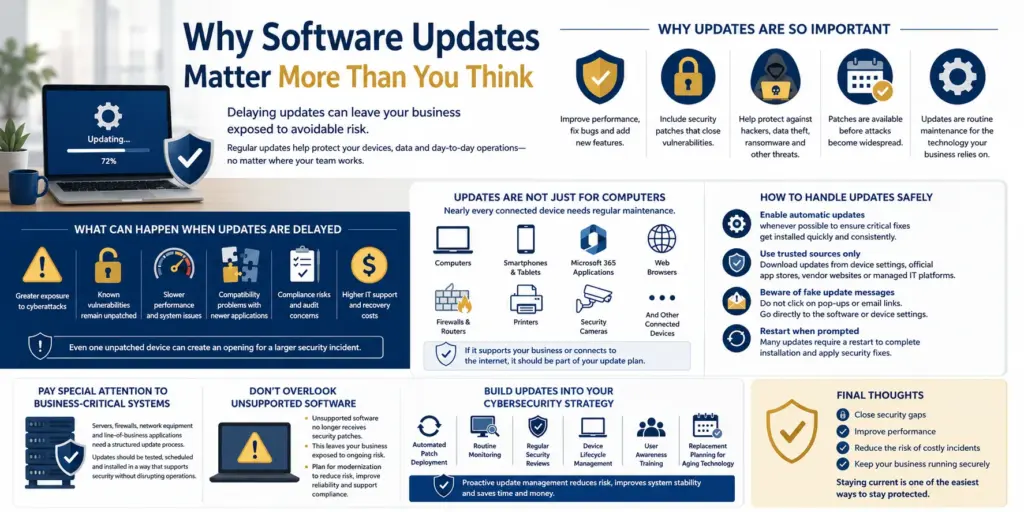

Why Software Updates Matter More Than You Think

Published: July 17, 2026

When a software update notification appears, it is easy to click “Remind Me Later” and move on. Most people are busy and do not want to interrupt their work for a restart. But delaying updates can leave your business exposed to avoidable risk.

At Accent Consulting, we help businesses strengthen cybersecurity without adding unnecessary complexity. One of the simplest ways to reduce risk is also one of the easiest to overlook: keeping software current.

Whether your team works in the office, remotely or across multiple locations, regular updates help protect your devices, data and day-to-day operations.

Why Updates Are So Important

Software vendors release updates to improve performance, fix bugs and add new features. Just as importantly, many updates include security patches that close vulnerabilities attackers may try to exploit.

These patches can help protect against unauthorized access, data theft, ransomware and other disruptions that can impact your business. Once a weakness becomes known, cybercriminals often move quickly to target organizations that have not installed the fix.

In many cases, the update is available before attacks become widespread. The challenge is making sure those updates are installed consistently.

Think of software updates as routine maintenance for your technology. Just as you would not ignore a warning light in a vehicle, you should not ignore updates on the devices your business depends on every day.

What Can Happen When Updates Are Delayed

It may seem harmless to postpone an update when your team is busy, but outdated software can create real security and business issues.

Delaying updates can increase exposure to cyberattacks, leave known vulnerabilities unpatched, slow down system performance and create compatibility problems with newer applications. It can also lead to compliance concerns and higher IT support costs.

For a business, even one unpatched device can create an opening for a larger security incident.

Updates Are Not Just for Computers

Many people think of software updates as something that only applies to laptops and desktops. Nearly every connected device needs regular maintenance.

That includes computers, smartphones, tablets, Microsoft 365 applications, web browsers, firewalls, routers, printers, security cameras and other connected devices. If a device supports your business operations or connects to the internet, it should be part of your update plan.

How to Handle Updates Safely

While updates are important, they should also be installed carefully. Cybercriminals sometimes use fake update messages to trick users into downloading malware.

One of the easiest ways to stay protected is to enable automatic updates whenever possible. This helps critical fixes get installed quickly and consistently so important patches are less likely to be missed.

It is also important to download updates only from trusted sources such as device settings, official app stores, vendor websites or managed IT platforms. If a pop-up or email seems suspicious, do not click it. Go directly to the software or device settings instead.

Some updates also require a restart before they are fully applied. If a device has been asking to restart for days or weeks, important security updates may still be waiting to finish installing.

Pay Special Attention to Business-Critical Systems

Servers, firewalls, network equipment and line-of-business applications often need a more structured update process. These systems should be reviewed regularly so updates can be tested, scheduled and installed in a way that supports security without disrupting operations.

This is especially important for businesses that rely on uptime and continuity. A thoughtful update process helps reduce risk while keeping the business running smoothly.

Do Not Overlook Unsupported Software

Over time, manufacturers stop releasing updates for older operating systems, applications and devices. This is often called end of support or end of life.

Once a product reaches that stage, newly discovered vulnerabilities may no longer be patched. That leaves your business with ongoing security risk.

If your organization still relies on unsupported software or aging hardware, it may be time to plan for modernization. Updating older systems can reduce cybersecurity risk, improve reliability and make compliance easier to manage.

Build Updates into Your Cybersecurity Strategy

The most secure organizations do not treat updates as an occasional task. They make patch management part of their ongoing technology and cybersecurity strategy.

A strong update process may include automated patch deployment, routine monitoring, regular security reviews, device lifecycle management, user awareness training and replacement planning for aging technology.

When updates are managed proactively, your business can reduce risk, improve system stability and spend less time reacting to preventable issues.

Final Thoughts

Cybersecurity does not have to be complicated.

Some of the most effective protections come from consistent technology maintenance. Keeping software updated helps close security gaps, improve performance and reduce the likelihood of costly cyber incidents.

If you are not sure whether updates are being installed consistently across your network, Accent Consulting can help. Our team works with businesses to manage devices, monitor vulnerabilities and build cybersecurity strategies that support long-term business goals.

Staying current is one of the easiest ways to stay protected.

Need help keeping your business protected? Contact Accent Consulting to review your update process, strengthen patch management and build a cybersecurity strategy that keeps your systems secure and reliable.

Reach Out To Us

Recent Posts