

What Is MFA and Why It Matters at Work
Published: October 23, 2026
Passwords alone are no longer enough to protect work accounts. Phishing emails, data breaches and reused passwords make it easier for attackers to obtain login details. Multi-factor authentication (MFA) adds a second layer of protection, so a stolen password is much less likely to lead to a full account takeover.
For employees, MFA is one of the simplest and most effective ways to protect email, cloud apps, payroll systems and other tools used every day.
What Is Multi-Factor Authentication?
Multi-factor authentication is a security method that requires two or more types of proof before you can sign in. Instead of relying only on a password, MFA asks you to confirm your identity with an extra step.
These factors usually fall into three categories:
• Something you know, such as a password or PIN
• Something you have, such as a phone, authenticator app or hardware security key
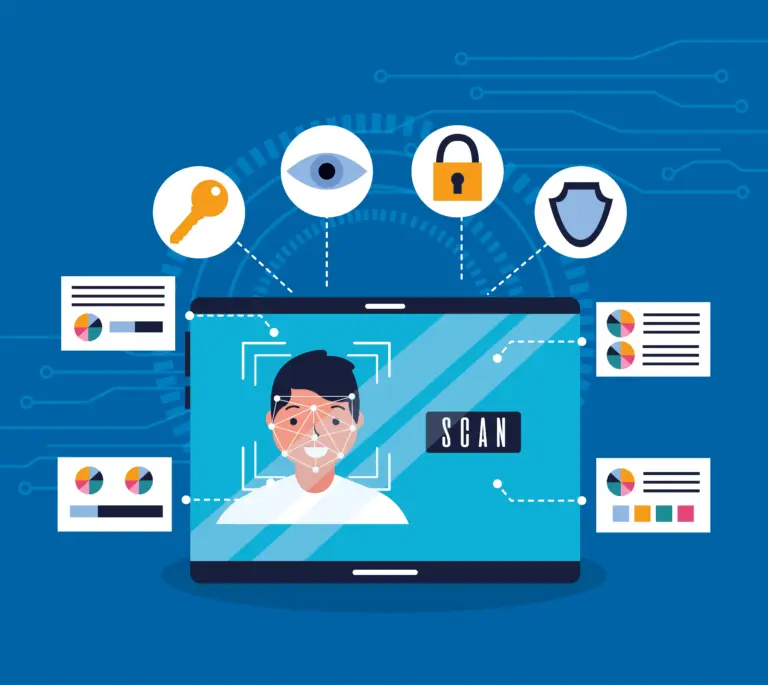
• Something you are, such as a fingerprint or face scan
In practice, you enter your password first. Then you approve a prompt, enter a one-time code or use a security key. Because that second factor is separate from your password, an attacker who only has your login credentials often cannot get in.
How MFA Improves Security for Work Accounts
It helps stop account takeovers
If your password is stolen through phishing or exposed in a breach, MFA can still block access. The attacker may have the right password, but without the second factor they usually cannot finish signing in.
“Hi, this is Daniel from the help desk. We’re testing a sign-in issue on your account. Please approve the next request so I can finish the process.”
It helps stop account takeovers
Many people reuse passwords across personal and work accounts. MFA does not replace strong password habits, but it lowers the damage when a password is exposed somewhere else.
It reduces the risk from reused passwords
Many people reuse passwords across personal and work accounts. MFA does not replace strong password habits, but it lowers the damage when a password is exposed somewhere else.
It blocks many automated attacks
Attackers often use automated tools to test large lists of stolen usernames and passwords. MFA interrupts that process. Even if the password is correct, the second step usually stops the attempt.
It gives you an early warning
Many MFA tools notify you when a sign-in is attempted. An unexpected approval request or code can be a sign that someone is trying to access your account. Those alerts should always be taken seriously.
It protects more than just one login
Work email is often the key to resetting other accounts. When MFA is enabled on email and core business systems, it becomes much harder for an attacker to move from one compromised password into broader access.
Common MFA Methods at Work
Not all MFA methods offer the same level of protection.
Authenticator apps such as Microsoft Authenticator, Google Authenticator or Authy generate time-based codes on your phone. These are generally stronger than text messages.
Push approvals send a prompt to your phone asking you to approve or deny a sign-in. They are convenient but only approve requests you started yourself.
Hardware security keys provide one of the strongest options because the key is a physical device an attacker cannot easily use remotely.
SMS codes are better than passwords alone, but they are usually less secure than authenticator apps or hardware keys.
Whenever your organization offers an authenticator app or security key, choose that option for important work accounts.
Workplace Habits That Make MFA More Effective
MFA works best when employees use it carefully:
• Enable MFA by email and any system that holds sensitive business or customer information
• Prefer authenticator apps or security keys over text messages when available
• Never approve a login request you did not start
• Never share a one-time code with someone who calls, texts or emails you
• Keep backup code stored securely in case you lose your phone
• Report repeated or unexpected MFA prompts right away
One of the most common MFA failures is not technical. It is social. An attacker may already have your password and then call while sending repeated approval requests, hoping you accept one just to make the alerts stop. A message may sound like this:
“Hi, this is IT. We’re seeing a sign-in issue on your account. Please approve the next prompt so we can finish the fix.”
If you did not try to sign in, deny the request. Do not approve it to clear the notification. Report it through your normal security process.
Final Takeaway for Employees
Multi-factor authentication requires more than a password to access an account. That extra step helps protect work email, shared systems and sensitive business information from stolen credentials and common online attacks.
MFA is one of the highest-value security habits available at work because it is simple to use and significantly harder for attackers to bypass. A strong password still matters. MFA helps make sure that password is not the only thing protecting your account.
If MFA is available on your work tools, turn it on and treat every approval request as a real security decision. A few seconds of caution can prevent a much larger problem later.
Reach Out To Us
Recent Posts
-
Recognized Among America’s Most Reliable Companies – 2026March 11, 2026/0 Comments -
-

-

-

How Can AI Help Farms Make Better Operational Decisions?October 7, 2026/ -
-

-