
The 10-Second Security Check: Everyday Habits That Prevent Costly Mistakes

Published: October 26, 2026

Everyday security problems rarely start with a sophisticated attack. More often they start with a quick decision: scanning a code, approving a login, updating payment details or sharing a verification code because the request feels familiar.

That convenience can create risk. When something feels urgent or routine people are more likely to act before verifying it. A short pause and a few steady habits can make a real difference.

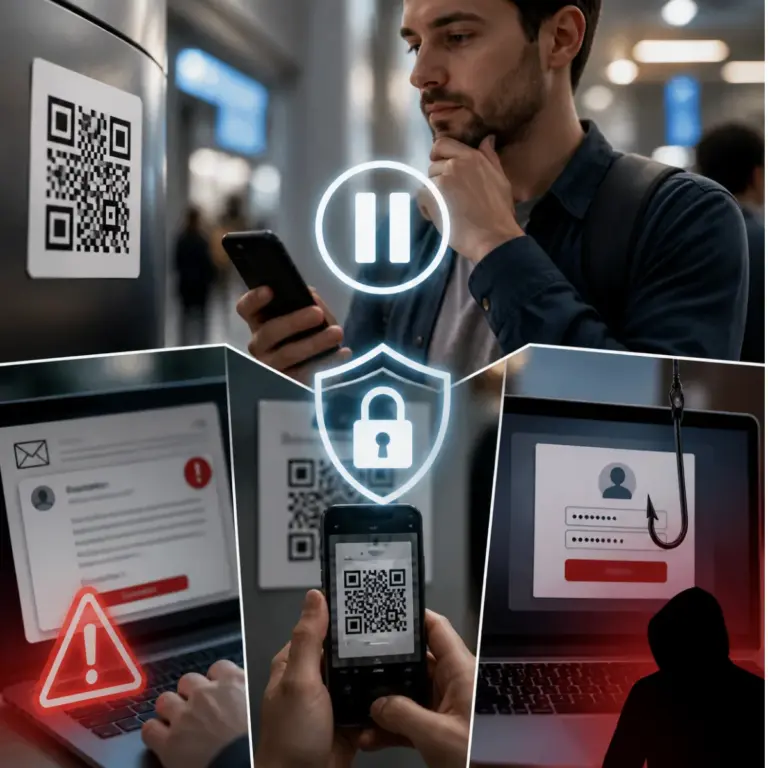
Before You Scan: How to Spot a Risky QR Code

QR codes have become part of everyday life. We use them to view menus, sign in, pay invoices, download apps and open websites quickly.

Here are a few good habits to keep in mind:


• Be cautious with QR codes posted in public places or added with a sticker over another sign
• Avoid scanning codes from unexpected emails or text messages
• Pause before entering a password or payment information after scanning
• If possible, preview the link before opening it
• When in doubt go directly to the website instead of using the code

Before You Approve: Treat Unexpected Login Requests Carefully

You may receive several multi-factor authentication prompts in a row. Then someone claiming to be from IT may call and say:

“Hi, this is Daniel from the help desk. We’re testing a sign-in issue on your account. Please approve the next request so I can finish the process.”

That may mean an attacker already has your password and is trying to push you into approving access.

Here are a few good habits to keep in mind:


• Only approve login requests you started yourself
• Never share authentication codes with someone who contacts you unexpectedly
• Deny unfamiliar prompts instead of approving them to make the alerts stop
• Report repeated or unexpected login requests through your normal security process
• Change your password if you suspect someone else tried to access your account


Before You Pay: Verify Changes Independently

A message may arrive in an existing email conversation and say:

“Hi, we’ve recently changed banks. Please update our payment details before Friday’s invoice is processed.”

The note may look professional and appear to come from a real supplier. A compromised mailbox or copied email thread can make a fraudulent request look genuine.

Here are a few good habits to keep in mind:


• Do not confirm payment changes by replying to the same message
• Call a trusted phone number from your records before updating bank details
• Compare new instructions against previously verified information
• Be extra careful with last-minute payment changes tied to an urgent deadline
• If anything feels off pause the payment until it is independently confirmed

Before You Share a Code: Protect One-Time Passwords

A text may say your delivery could not be completed and ask you to confirm details through a link. Soon after someone may call and say:

“We just sent a verification code to confirm your account. Please read it back to me.”

That code may be the final step in taking over your account.

Here are a few good habits to keep in mind:


• Never read a verification code aloud to someone who contacts you
• Do not enter codes on pages reached through unexpected links
• Use official apps or bookmarked websites for account access
• Treat one-time codes like passwords
• Stop and verify through a trusted channel if the request feels rushed

Make the Pause Part of Your Day

Good security does not require complicated tools. It often comes down to a few practical habits used at the right moment.

Before you scan, click, approve, pay or share take ten seconds to verify what you are being asked to do. A little extra caution can go a long way and that brief pause can prevent days of cleanup later.

Reach Out To Us

Recent Posts