Everyday Security Hygiene for Employees
Published: October 16, 2025
Over the last two weeks, we’ve looked at how attackers operate — from advanced attacks techniques to the broader financial implications that explain why breaches happen. Now it’s time to bring security closer to home. Because while firewalls, active monitoring and threat intelligence are essential tools, the most effective defense often begins with you and the daily choices you make with your mouse and keyboard.
Strong Authentication Starts with You
Think for a moment about how many systems you log into across various devices on a given day. Each login is a potential door to a secure environment — and the strength of that door depends entirely on your authentication habits.
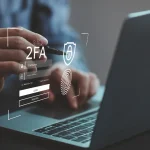
Using strong, unique passwords (ideally stored in a password manager) and turning on multifactor authentication wherever possible are simple but powerful ways to seal up weak entry points. When MFA is active, a stolen password alone won’t get an attacker very far. So it’s worth resisting the urge to reuse credentials across personal and work accounts — because convenience today can mean compromise tomorrow.
Keep Everything Current
If the IT team is the security system of a digital environment, think of software updates as regular maintenance for the locks and gates that keep everything secure. Every update addresses known vulnerabilities that attackers love to exploit. And the fact is — many breaches still trace back to months-old systems that missed a simple update.
So it’s best to get into the habit of restarting devices and allowing updates to run, whether it’s your operating system, browser, or specific apps. If you use personal devices for work, treat them with the same attention to patching and protecting as company equipment. Bottom line: Your security is only as strong as the least-protected device that connects to a network.

Stay Alert for the Subtle Signs
Most cyberattacks don’t announce themselves with alarms and flashing lights — they arrive quietly, often disguised as legitimate messages. A well-crafted phishing or spoofing email can look completely convincing until you notice a single misplaced letter in the sender’s address or a link that doesn’t quite match.
Take a moment to hover over links, verify sender details and trust your instincts when something looks or feels off. And if you think you’ve spotted a suspicious message, report it. There’s no penalty for being cautious, but there can be real consequences if something harmful slips through unnoticed.
Be Smart About Networks and Data
The convenience of remote work means we’re connecting from coffee shops, airports, and home office — often over networks we don’t control. Whenever you’re outside a trusted environment, using a VPN helps protect the information flowing between your device and company systems.
Similarly, avoiding the practice of sending sensitive data through unencrypted channels or leaving confidential files open when you step away is a best practice. A locked screen or a secure folder might feel like a small measure, but defense adds up.
Security as a Daily Practice
Every strong password, every system update, every “wait, that email looks strange” moment adds up. Security hygiene isn’t a checklist to complete once a year — it’s a mindset to carry into every situation, both personal and private.
By approaching cybersecurity as an everyday habit, we make it harder for threats to gain a foothold and easier for our teams to operate confidently. That’s how individual effort transforms into collective protection.
Next week, we'll close out Cybersecurity Awareness Month by exploring how these small actions can grow into an enduring security-first culture — one that lasts long after October ends.
Reach Out To Us
Recent Posts
-
Building a Security-First CultureOctober 22, 2025/0 Comments
-
Why Are There So Many Data Breaches?October 8, 2025/
-
Email Spoofing: Why You’re Getting Fake Emails… From Yourself?October 2, 2025/
-
Accent Consulting’s Summer Family Event 2025August 21, 2025/ -
The Technology Revolution: Can AI Take Over Cybersecurity?August 19, 2025/ -
16 Billion Passwords Leaked: What You Need to KnowJune 20, 2025/ -
3 Reasons Why SMBs Can’t Afford to Ignore AIMay 21, 2025/