IT Migration Services for SMBs
Move the right systems with a migration plan built around your business goals, infrastructure and users.
Whether you're replacing aging servers, planning for a new ERP, improving remote access or evaluating Microsoft 365 & Azure, Accent Consulting can help you choose the migration path that fits your environment.
Let's Find the Right Migration Strategy for Your Business.
Every migration comes with important questions. How much will it cost? How much downtime will there be? Will your current software and tools still work in the cloud? Accent Consulting helps you answer those questions early so you can choose the right migration path for your systems, users, security requirements and budget.
Control Migration Costs
Identify infrastructure, licensing and software factors early to avoid surprises.
Minimize Downtime & Disruption
Reduce business interruption with phased migration, testing, and careful cutover planning.
Evaluate Software
Determine what should move to the cloud, remain on-premises or follow a hybrid path.
Should Your Business Move to the Cloud?
Before planning a cloud migration, start with the reason behind the change. For many SMBs, the goal isn’t simply to move systems — it’s to solve a specific business problem.
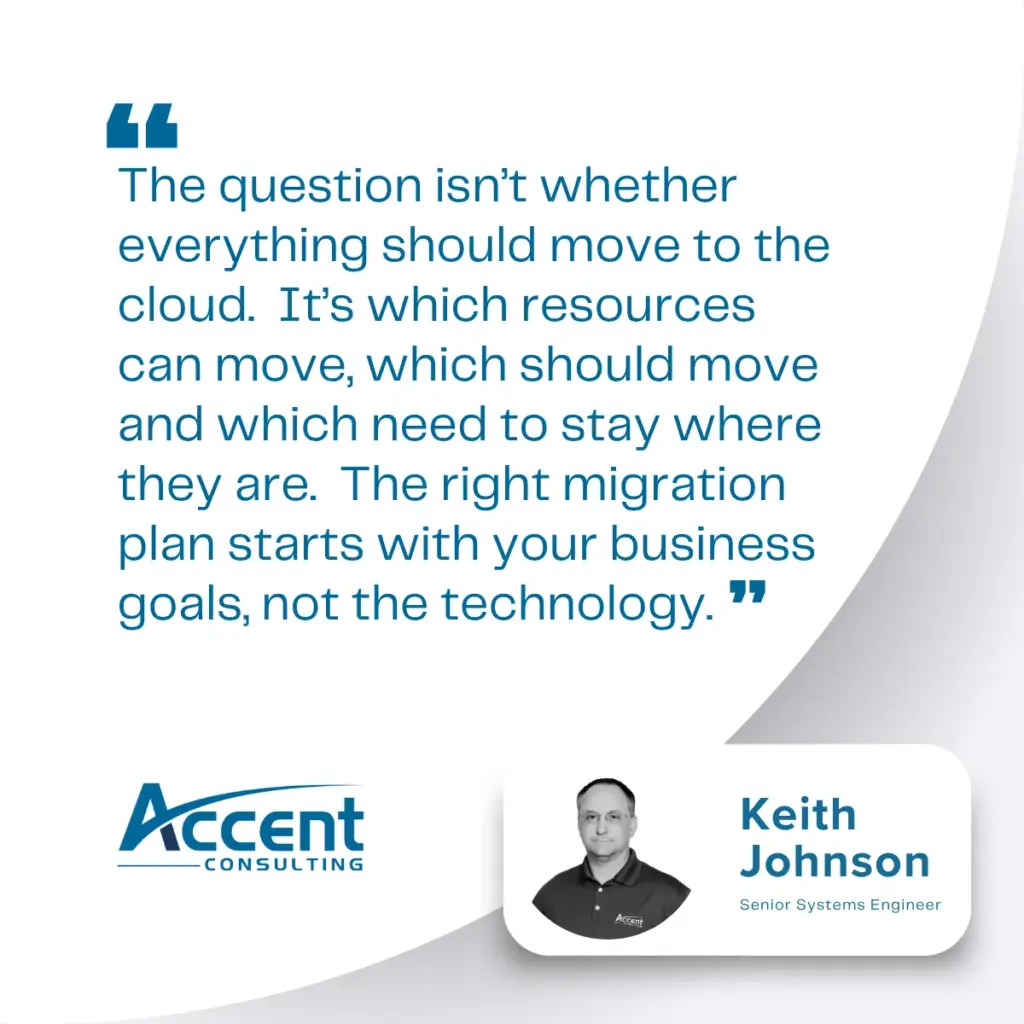
The real question usually isn’t “Should we move to the cloud?” It’s “What’s creating friction in our current environment?” Once that pain point is clear, the right migration strategy becomes much easier to define.
✔ Aging infrastructure that needs replacement before it fails
✔ A new ERP or line-of-business application
✔ Performance of user-experience problems slowing down operations
✔ Security, compliance or access control requirmements
✔ Remove work, collaboration or file access challenges
✔ The Need to simplify support and reduce long-term maintenance
The hybrid cloud
Why Many SMBs Choose a Hybrid Migration Strategy
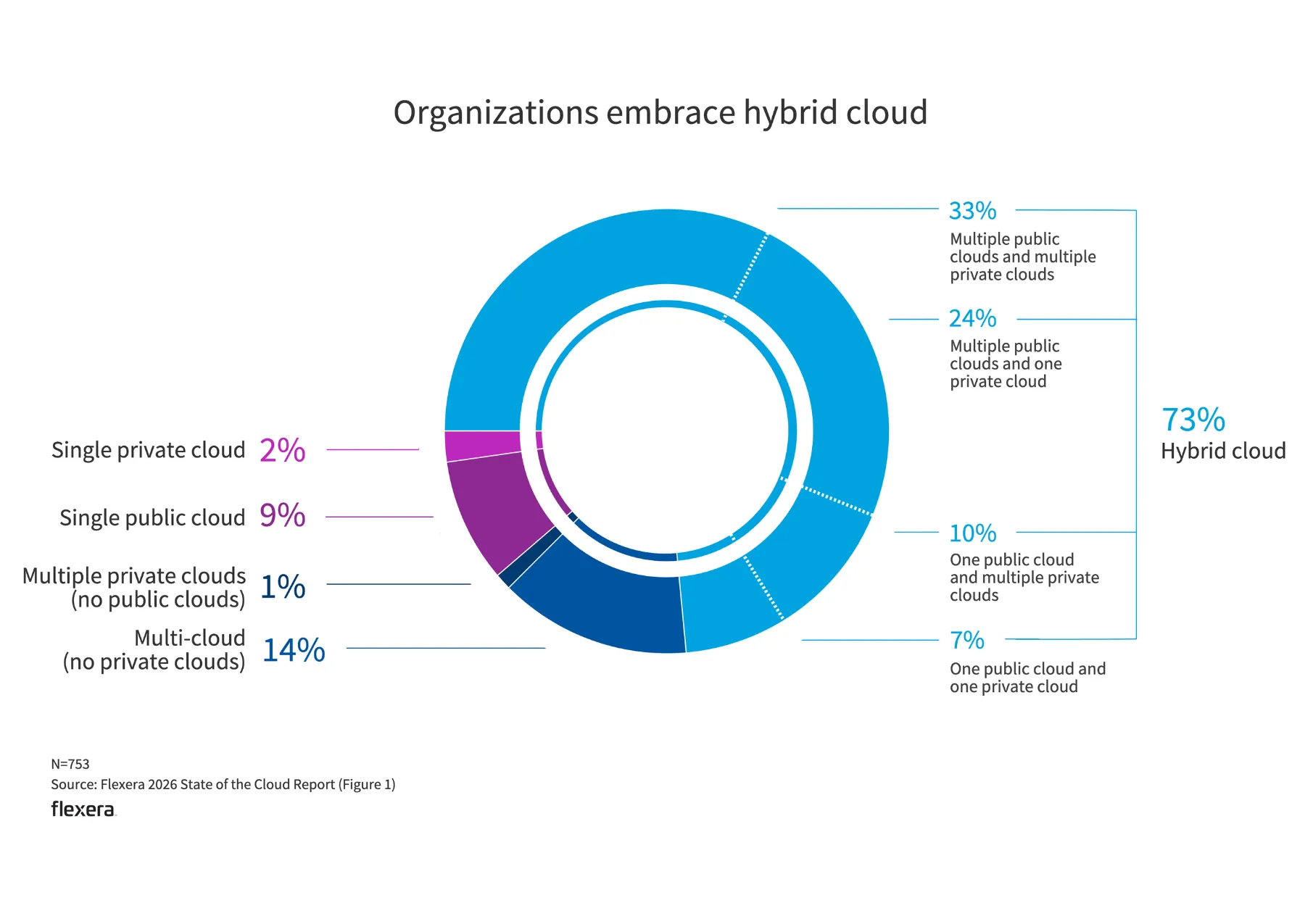
For many organizations, the best migration plan may not be fully cloud or fully hardware-based. Instead, a hybrid approach that keeps business-critical systems where they perform best — while moving the right services to secure, scalable cloud platforms — is often a best practice.
Most businesses already operate in some form of hybrid environment — using a mix of local servers, cloud applications, Microsoft 365, vendor-hosted software or remote access tools. In many cases we’ve seen over 20+ years of doing it, organizations that embrace a hybrid cloud represent a broader shift toward flexible infrastructure strategies that reduce risk, support performance and improve long-term ROI.
So for many SMBs, the right answer isn’t a full lift-and-shift. It’s a thoughtful migration plan that evaluates which workloads belong in the cloud, which should remain on-premises and how to reduce disruption along the way.
understanding the costs
What Impacts IT Migration Costs?
Migration costs vary based on your current environment, the complexity of your systems, the number of users and how much business continuity you need during the transition. Because a successful migration requires more than moving data or spinning up a new server, early planning is essential to avoid unnecessary spend, reduce disruption and protect long-term performance. We recommend evaluating migration options at least 12 months before major server replacement so you have time to assess applications, budget effectively, and build the right strategy.
Number of servers, users and workloads involved.
More systems and users increase planning, coordination and migration effort.
Size & condition of your current enviroment.
Older or more complex environments may require more preparation and cleanup before migration.
Data volume & storage requirements.
High data volumes, file dependencies and retention policies can affect migration time and cost.
Application & database complexity.
Custom apps, databases and system integrations often require deeper testing and validation.
Application compatibility.
Some tools are cloud-ready. Others may need redesign, replacement, or a hybrid strategy.
Security and compliance requirements.
Stricter requirements may require additional controls, monitoring and documentation.
Licensing and cloud platform costs.
Software licensing and cloud services can vary widely depending on your environment.
Need for after-hours or weekend cutovers.
Off-hours migration work may be necessary to reduce business disruption.
Backup, rollback and business continuity planning.
Protecting operations during migration requires preparation for contingencies.
Post-migration support & optimization.
Ongoing support, training, monitoring and system tuning help ensure long-term success.
Our Migration Process
A successful migration depends on more than technical execution. It requires a process that identifies risk early, aligns with business operations and validates each step before critical systems are fully transitioned.
1. Assess & Plan
Evaluate your environment, users, dependencies and goals.
2. Design & Prepare
Prepare the target environment and plan for a secure transition.
3. Migrate & Validate
Move data and workloads in phases, then test thoroughly.
4. Optimize & Secure
Strengthen performance, security and compliance controls.
5. Support & Evolve
Provide ongoing support and strategic guidance after migration.
What Should Move First in an IT Migration?
Not every system should move at the same time — and some system shouldn’t (or can’t) move at all. We help businesses evaluate what should move first based on business value, compatibility and operational needs.
Core Infrastructure
- Servers & Infrastructure
- Virtual Desktop (VDI)
Identity & Access
- Active Directories
Collaboration & Data
- Microsoft 365 Email
- SharePoint & OneDrive
- File Storage & Backup Systems
- Databases
- Business Applications
Practical guidance From an Experienced Team
Accent Consulting’s migration recommendations are shaped by real-world infrastructure experience. Our team helps clients evaluate the simplest, most maintainable way to reach their goals — whether that means moving to Microsoft 365, modernizing identity, adopting a hybrid environment, or keeping the right systems on-premises.
Your Migration Partner, Not Just a Service Provider
We’ve helped businesses across industries migrate with confidence for over 20 years. Our U.S. based team brings deep technical expertise and a business-first approach.
✔ 20+ years of migration experience
✔ U.S. based techs and support
✔ Security & compliance focused
✔ Microsoft 365, Azure & hybrid expertise
Frequently Asked Questions
Migration cost depends on the number of systems involved, the complexity of your environment, data volume, software compatibility, security requirements and whether the migration is full cloud, hybrid or workload-specific. Costs may also be influenced by after-hours cutovers, compliance controls, backup planning and post-migration support. The right opportunities depend on the process, systems involved and where employees are spending unnecessary time today
Not necessarily. For many SMBs, the best approach is hybrid. Services like email, file collaboration and identity often benefit from cloud platforms such as Microsoft 365, while some applications, databases, or operational systems may need to remain on premises for performance, compatibility, or business continuity reasons.
Email is often the best first move, especially when replacing an aging on-premises Exchange server. File storage is also a common early priority when businesses want to improve remote access, collaboration, and version control. Applications and authentication should be evaluated based on dependencies and long-term strategy.
Migration timelines vary depending on the number of systems, data volume, software dependencies, user impact and testing requirements. Some migrations can be completed in phases over a few weeks, while more complex environments require a longer planning and execution timeline.
Some downtime may be necessary, but careful planning can reduce disruption significantly. Accent Consulting uses phased migrations, testing, scheduling and cutover planning to minimize impact on users and operations.
Yes. In many cases, a phased migration is the best approach. It reduces risk, limits downtime, and allows businesses to validate each stage before moving critical systems or larger groups of users.
We reduce risk through discovery, environment assessment, dependency mapping, testing, backup planning, phased cutovers, security reviews, and post-migration validation. The goal is to protect continuity while improving the long-term environment.
For many businesses, yes — especially when teams need secure access to current files from multiple locations. SharePoint and OneDrive can improve collaboration, accessibility and version control. However, files tied directly to applications that require local access may need to remain on-premises or follow a different path.
That depends on your environment. Some businesses keep Active Directory in place, especially when on-premises servers remain part of the environment. Others may modernize identity with Microsoft Entra ID, Intune, Autopilot or a hybrid approach. We recommend the authentication strategy that best supports your systems and users.
Ideally, 12–24 months before major server replacement or infrastructure refresh. Early planning gives you time to evaluate applications, understand costs, reduce risk, and choose the best long-term strategy instead of rushing into a reactive decision.